Live species cards for your WordPress site.
Writing about a fish or plant you stock or keep? Pick it from the TankBud catalog and the plugin renders a card with the name, a short blurb and quick care facts, linked to the full care guide. No copying care details by hand, and the content stays current from the catalog.
Free · GPL · WordPress 6.0+
Not on WordPress? The HTML embed puts the same cards on any site.
What your visitors see
The card inherits your theme's font, brings its own colors, and adapts its layout to wherever you put it: a post, a sidebar, a footer, or a product description. Below, a shop's blog post with one card in the content and one in the sidebar.

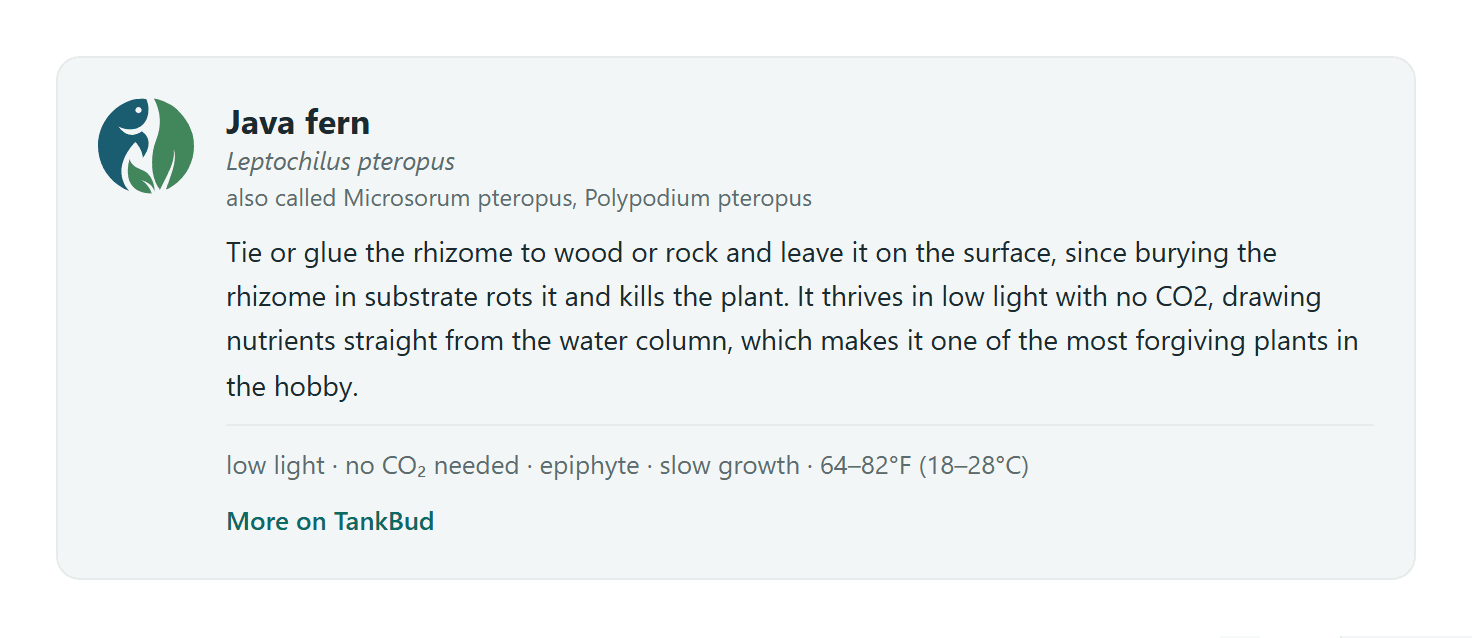
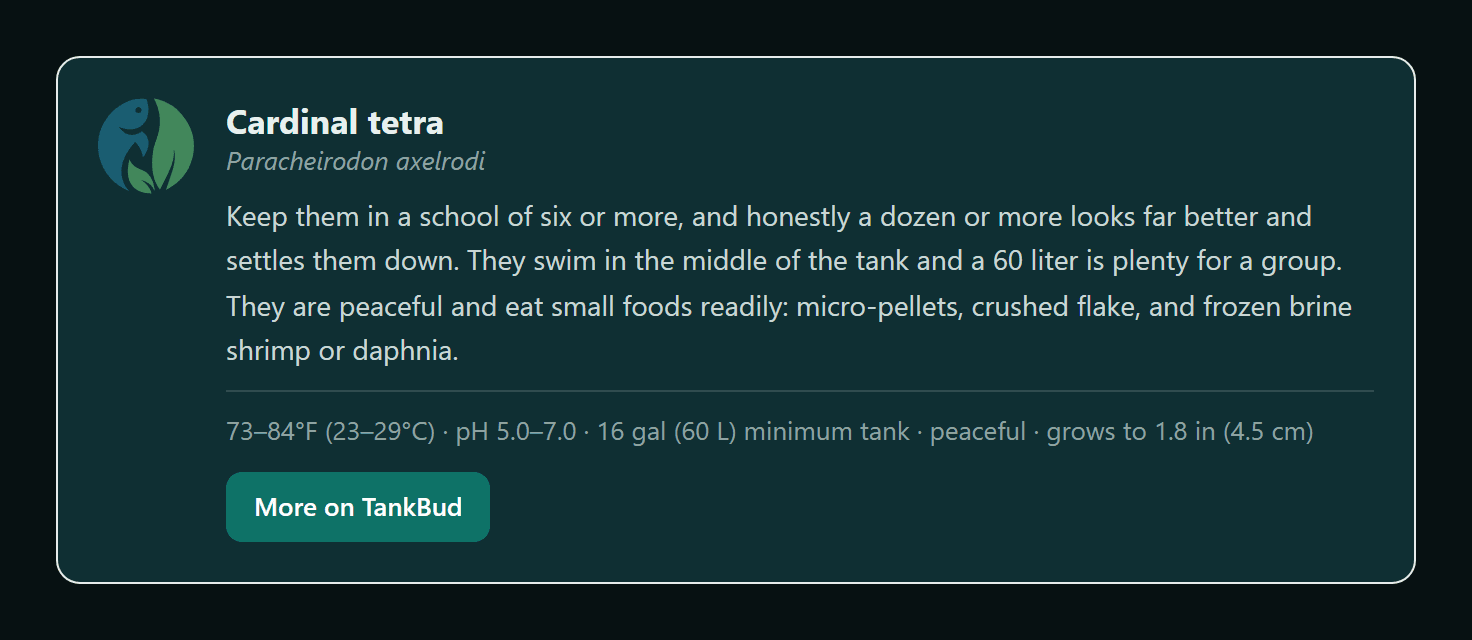

Pick a species in the editor
Add the TankBud species card block, search the catalog by common name, scientific name or an alternate name, and pick from the results, fish and plants both. The editor previews the card as it will render, and the block's settings choose what shows: names, blurb, facts as an inline line or a stacked list, text link or button, background and accent colors.

Shortcodes for everywhere else
Classic editor, theme widgets, WooCommerce product descriptions: the shortcodes cover the places blocks don't.
[tankbud_species slug="neon-tetra"][tankbud_plant slug="java-fern" facts="list"]Both shortcodes take the same attributes, and all of them are optional except slug: anything you leave out follows your site defaults from Settings, TankBud Species Cards. The defaults noted below are the plugin's own, before you change anything there.
slug="neon-tetra"required- Which species or plant the card shows: the last part of its catalog page address. The only required attribute; finding it is explained below.
show_common_name="no"yes or no · default yes- The bold common name. If both name attributes are set to no, the common name still shows, so a card is never headerless.
show_scientific_name="no"yes or no · default yes- The italic scientific name under the common name.
show_alt_names="yes"yes or no · default no- An also-called line with the alternate names from the catalog, when the species has any.
show_blurb="no"yes or no · default yes- The short care blurb.
facts="list"inline, list or none · default inline- How the care facts render: a middle-dot line (inline), stacked label and value rows (list), or hidden (none).
link_style="button"link or button · default link- The More on TankBud link as a plain text link or a solid button.
background="none"a hex color or none · default #f2f6f6- The card background. none makes the card transparent; a dark color switches the text to light automatically.
accent="#0b6b61"a hex color · default TankBud teal- The color of the text link or button.
text_tone="light"auto, ink or light · default auto- The text color mode. auto follows the background; light suits transparent cards on dark themes.
Hiding both the blurb and the facts (show_blurb="no" facts="none") switches the card to its compact one-line layout.
To find a slug, search the catalog and open the species page: the slug is the last part of the address. For tankbud.com/species/cardinal-tetra the slug is cardinal-tetra.

Set defaults once
Under Settings, TankBud Species Cards, pick how cards look across your site: which names show, blurb and facts, link style, background and accent. Every card follows those defaults unless you override it in the editor, and changing a default later updates every card that didn't. The species itself is always chosen per card.

Caching and privacy
Card content is fetched server to server and cached on your site for about 12 hours, then refreshed in the background, so your pages never wait on TankBud. If tankbud.com is ever unreachable, cards serve the cached copy, and a card that has nothing to show renders nothing rather than an error. Your visitors' browsers never contact TankBud and no visitor data is sent. The TankBud mark and the care guide link are part of every card and cannot be turned off.
If you run a store, add ?wtb=hide to any care guide link you write yourself, and the online retailers we list stay off that page. A shop we list in Where to buy can use its own name from our links instead, like ?wtb=wet-spot-tropical-fish, and that page shows only its listing. Either way it shapes that one page. A printed store label shapes the whole visit, and a store on TankBud Pro gets its own name, logo, city, phone and website in that place.
Install it
The plugin is in the WordPress.org plugin directory: in your dashboard go to Plugins, Add new, search for TankBud Species Cards, and install it from the results. Updates arrive through your dashboard like any other plugin. Prefer a zip? Download it and upload it under Plugins, Add new, Upload plugin. Needs WordPress 6.0 or newer.

Questions or a species you're missing? Get in touch.
Put a species card on your site today.
Free · no account needed · works with any theme